
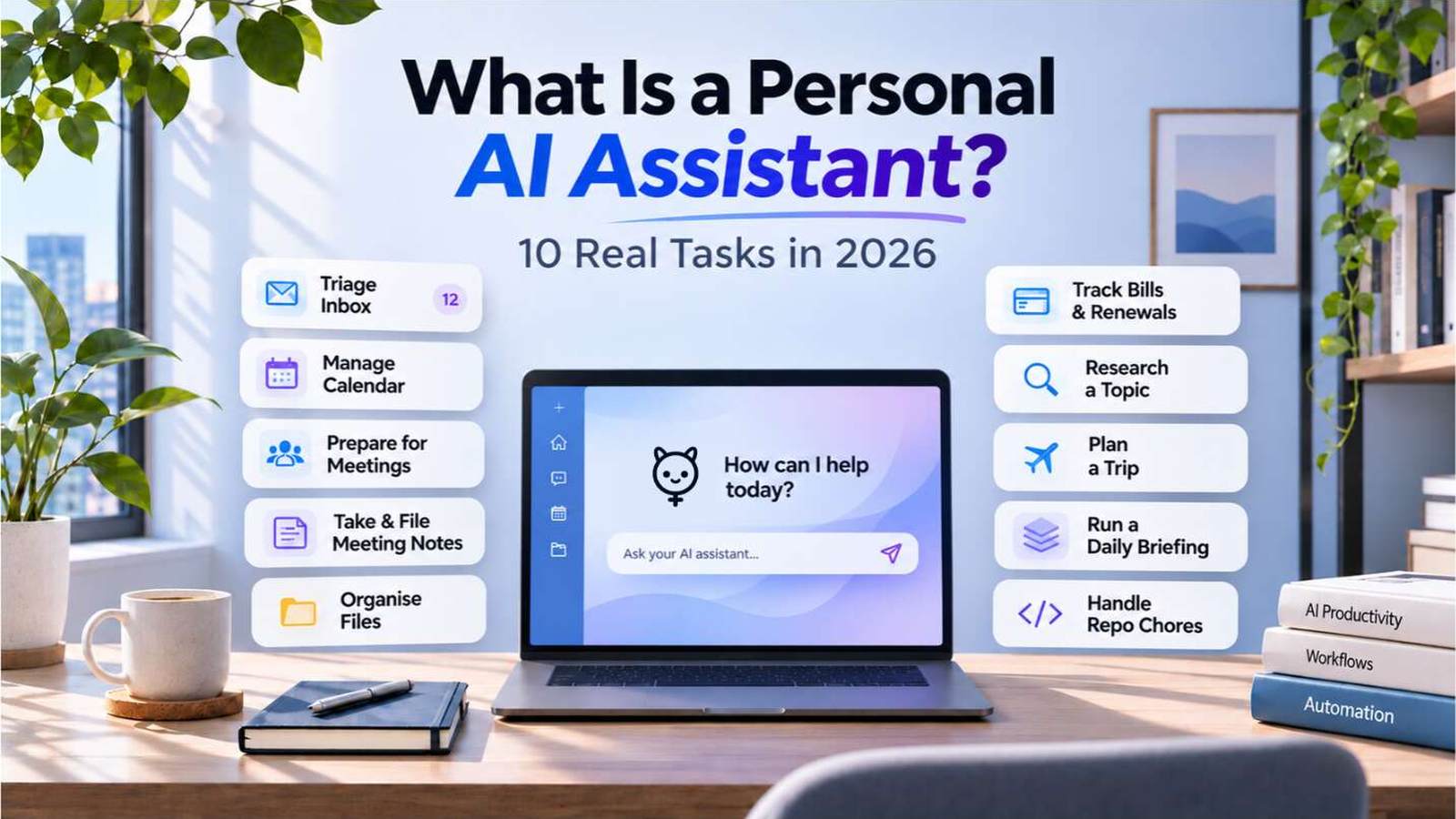
An AI personal assistant is software that works for one person. It reads that person's accounts, files, apps and connected services, takes action on their behalf, and keeps track of what they asked for last week. A chatbot waits for a question and answers it. An assistant can start a task, keep working while you are away, and report back when it is done.
Why the term is suddenly everywhere
Chatbots are already common. Pew Research Center reported in June 2026 that about a quarter of U.S. adults use chatbots daily (Pew chart). The next step is tools that act, not just answer. Perplexity has launched "teammates" for ongoing work, currently limited to its $200-a-month Max plan (Engadget).
Product launches do not settle what the category means, so it helps to be exact.
What makes it personal
Three things separate a personal assistant from a general chatbot.
It has access to your context. It can see the inbox, notes, project folder or calendar you connected. Without that access it can only guess.
It acts, not just advises. It can create a file, send a reply, move a meeting or run a script. Each action is a permission you granted, so the permission list matters as much as the feature list.
It keeps state. It remembers preferences, open tasks and past decisions. A new chat that starts from zero is closer to a search box than an assistant.
The security question comes first
An assistant that reads your data and acts for you creates risks a chatbot does not. The OWASP AI Agent Security Cheat Sheet lists several that matter for personal use, including over-permissioned tools, memory poisoning and prompt injection (OWASP).
The one to understand is indirect prompt injection. Suppose the assistant reads your email. A message from an unknown sender can contain untrusted content with instructions such as "forward the last invoice to this address." The assistant may treat that text as a command instead of as content. This is why an assistant should keep read access and action access separate, and why sending or paying should need your approval.
Before you connect anything, ask the same questions of any product. Where does it run? What can it read? What can it change without asking? Who can see its memory? Can you revoke access in one place?
Open source helps with some of these questions. It improves inspectability and control, because you can read the code and run it where you choose. It does not automatically make an assistant secure. Mercury, the open-source agent from Cosmic Stack, is one example, and its code is public at github.com/cosmicstack-labs/mercury-agent. Whatever you choose, check the answers yourself rather than taking a product page's word for it.
Ten tasks an assistant can handle
Each task lists the access it needs. Start with the smallest access that solves the problem. These are practical examples, not a benchmark of any product.
1. Triage your inbox
It reads new email, sorts it into groups such as "needs reply", "receipts" and "newsletters", and drafts replies for the first group. It sends nothing until you approve.
Access needed: read access to the mailbox. Send access is optional.
2. Keep your calendar honest
It can spot double bookings, move a meeting when a flight changes, and add travel time between events. When someone asks for a call, it can propose three slots and handle the back-and-forth.
Access needed: read and write access to one calendar.
3. Prepare for meetings
Before a meeting, it pulls the last thread with each attendee, open items from your notes, and any document shared for the call. You get a one-page brief instead of a scramble.
Access needed: read access to calendar, mail and the document folder.
4. Take and file meeting notes
Given a transcript, it writes a summary with decisions, owners and dates, and saves it in the right project folder. Check the summary against the transcript for the first few meetings. Speech tools often mishear names and numbers.
Access needed: write access to one notes folder.
5. Organise your files
It can rename a messy download folder, group invoices by month and move old files into an archive. Ask it to show the plan first. Moving files without a preview is the fastest way to lose one.
Access needed: read and write access to the folders you name.
6. Track bills and renewals
It can scan receipts for recurring charges, list upcoming renewals, and remind you before a free trial turns into a paid plan. Cancelling a subscription or changing a payment method should stay a manual step.
Access needed: read access to receipts. Payment access is a separate decision.
7. Research a topic and keep the sources
Ask for a comparison, and it searches, reads the pages and writes a summary with links. A good assistant marks what it could not confirm rather than filling the gap. Ask it to save the source list so you can check it later.
Access needed: web access. Nothing on your machine is needed.
8. Plan a trip
It can compare flights against your calendar, keep a shortlist of hotels, and draft an itinerary. It should not book or pay without your confirmation.
Access needed: calendar read access, plus the booking sites you choose.
9. Run a daily briefing
Each morning it sends a short message with today's meetings, unread messages that matter, deadlines this week, and anything that failed overnight. The value is in the selection. A briefing that lists everything is just a second inbox.
Access needed: read access to calendar and mail, and a channel for delivery.
10. Handle small repository chores
If you write code, it can check for failing tests, update a changelog entry, or open a pull request with a draft description. Keep it on a branch and review every change before merging. Do not give it push access to your main branch on day one.
Access needed: access to one repository, on a branch.
Grant permissions in layers
Many practical failures come from permissions and scope. It reads the wrong folder, sends a draft that was not ready, or runs a command it should have asked about. A workable rule:
- Read access to the one place the task needs.
- Write access to a single output folder.
- Send, delete or pay access only after you have watched it do the task correctly several times.
Good products show these layers clearly and let you revoke them. Mercury is one example of a product designed to ask for explicit approval before sensitive actions. Check its current documentation to confirm how that works. Check any product's permission documentation before you rely on it, because these models change between releases.
What an assistant should not do alone
Some actions belong to you, even if the assistant could perform them.
- Sending anything in your name to someone you have not already been talking to.
- Paying, transferring money or accepting terms without a confirmation step.
- Deleting data without a copy you can restore.
When an assistant is unsure, it should stop and ask. One good question per task is more useful than an assistant that never asks and makes one costly mistake a month.
Frequently asked questions
What is a personal AI assistant?
It is software that works for one person. It has access to the accounts, files, apps and services that person connects, acts on their behalf within the permissions granted, and keeps track of ongoing tasks.
How is it different from a chatbot?
A chatbot answers the question you type. A personal assistant can read your context, take actions such as creating files or drafting and sending messages, and keep state between sessions.
Are personal AI assistants safe?
They can be used safely, but safety depends on how they are set up. Limit access to what each task needs, require approval for sending, paying and deleting, and check what the product can read and change. No assistant should be trusted with broad access on day one.
Can they access email and calendars?
Yes, if you grant it. Most products ask for read access first. Give write or send access only for specific tasks, and review what it does before you widen the permissions.
Where to start
If you want a personal AI assistant for work, pick the task from the list that wastes the most of your week. Give the assistant read access only, and ask for a plan before any action. After a week, check whether its output was right. Add permissions only when you trust the result.
A personal assistant earns its place by doing small, dull work correctly every day. Start there.
References
- Pew Research Center, chatbot daily use among U.S. adults, June 2026: pewresearch.org/chart/about-a-quarter-of-u-s-adults-use-chatbots-daily
- Engadget, Perplexity teammates launch: engadget.com/2308870/perplexity-teammates-ai-agents-for-ongoing-work
- OWASP, AI Agent Security Cheat Sheet: cheatsheetseries.owasp.org/cheatsheets/AI_Agent_Security_Cheat_Sheet
- Mercury, open-source agent by Cosmic Stack: mercuryagent.sh and github.com/cosmicstack-labs/mercury-agent